Company Overview: EMEET
EMEET is a technology company specializing in the development and manufacturing of intelligent audio and video solutions, with a particular focus on leveraging artificial intelligence to enhance digital communication, content creation, and remote collaboration. Founded in 2016 and headquartered in Shenzhen, China, the company has established a global presence through a diverse range of products designed to meet the needs of professionals, content creators, and businesses.
EMEET’s product portfolio includes high-resolution webcams, conference cameras with intelligent tracking capabilities, microphones, conference speakers, and professional headsets. The company focuses on advancing audio and video processing technologies, including noise reduction, echo cancellation, and voice pickup enhancement, alongside AI-powered features such as speaker recognition, motion tracking, and image quality optimization.
EMEET places considerable emphasis on research, development, and innovation. The company holds more than 200 patents and has received several prestigious international design awards, including the iF Design Award, Red Dot Award, Good Design Award, and IDEA. Its products are available in more than 150 countries and regions worldwide, reflecting its commitment to delivering practical solutions that combine performance, ease of use, and modern technology for home users, professional workplaces, and content creators.

Introduction
Webcams have undergone significant development in recent years. Their function is no longer limited to providing a clear image during video calls and remote meetings; they now rely on advanced imaging technologies and artificial intelligence to deliver a more interactive and flexible experience. As the needs of content creators, lecturers, and professional users continue to grow, cameras capable of automatically tracking movement, adjusting focus between people and objects, and maintaining image quality without constant user intervention have become increasingly important.
In this context, EMEET aims to deliver solutions that combine imaging quality with technological innovation through the use of dual-camera systems, mechanical movement mechanisms, and intelligent tracking technologies. This approach is designed to meet a variety of needs, ranging from professional meetings and remote education to live streaming, product review recording, and visual content production.
The PIXY embodies this approach by combining 4K imaging, an AI-powered dual-camera system, and mechanical PTZ movement that allows it to automatically follow the user, alongside autofocus, gesture control, and built-in microphones. Can this combination of technologies deliver a comprehensive experience that goes beyond the capabilities of traditional webcams? That is what we will discover in our detailed review.
Technical Specifications
| Specification | Details |
|---|---|
| Camera Type | Dual-lens webcam |
| Imaging System | Main imaging camera + AI-assisted secondary camera |
| Image Sensor | Sony 1/2.55-inch sensor |
| Maximum Resolution | 4K UHD (3840 × 2160) at 30fps |
| Alternative Video Resolution | Full HD (1920 × 1080) at 60fps |
| Aperture | F/1.8 |
| Field of View | 73 degrees |
| Digital Zoom | 1.5x, unavailable when recording in 4K or 1080p at 60fps |
| Autofocus | BlinkFocus AI-powered dual-camera autofocus |
| Focus Speed | Up to 0.2 seconds, according to the company |
| Movement System | Dual-axis PTZ motor (Pan & Tilt) |
| Horizontal Movement Range | 310 degrees (±155 degrees) |
| Vertical Movement Range | 180 degrees (±90 degrees) |
| Intelligent Tracking | Automatic person and motion tracking |
| Gesture Control | Supported |
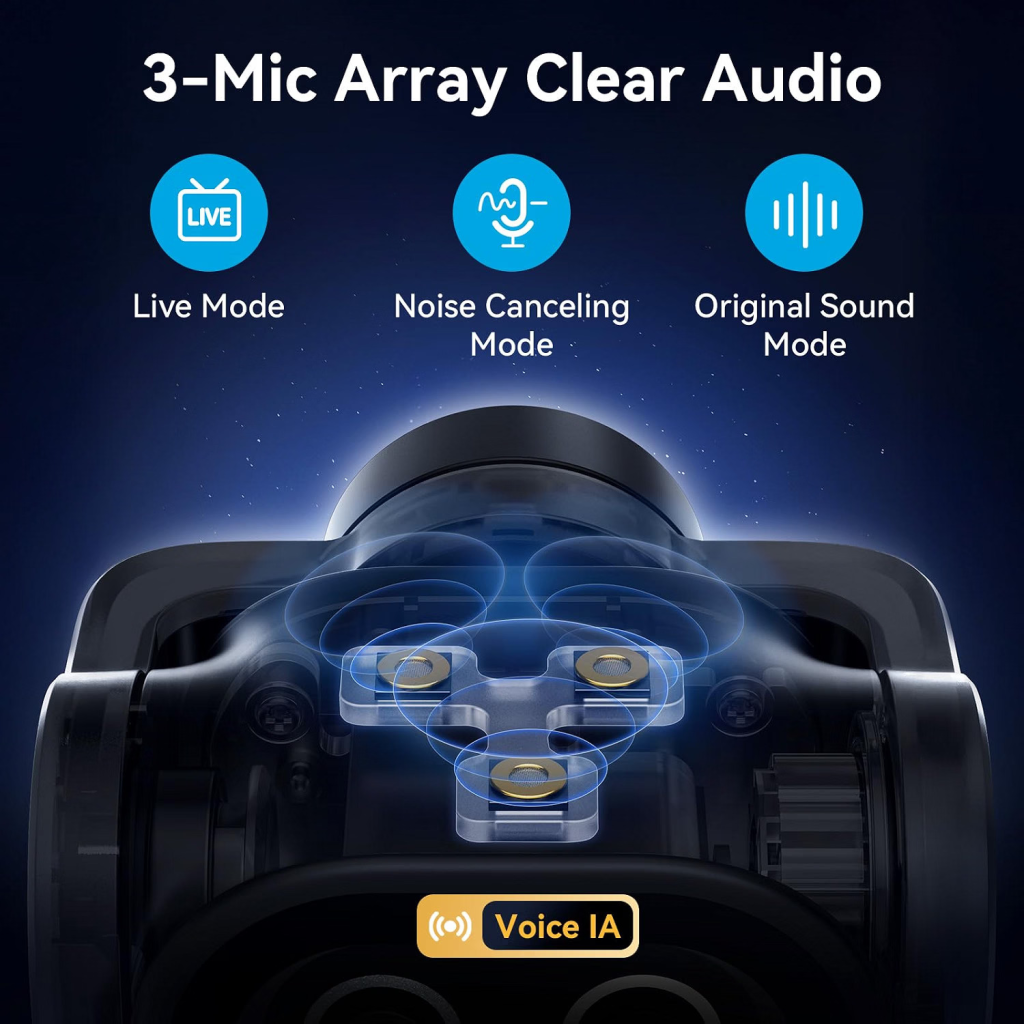
| Microphones | Three-microphone array |
| Audio Processing | AI-powered noise cancellation |
| Audio Modes | Live Mode, Noise Canceling Mode, Original Sound Mode |
| Video Encoding Formats | MJPEG and YUY2 |
| Connectivity | USB-C to USB-C, with a USB-C to USB-A adapter |
| Connection Port | USB-C |
| Mounting Base | Monitor mount and 1/4-inch threaded socket |
| Dimensions | Approximately 56 × 43 × 22 mm |
| Weight | 120 ± 5 grams |
| Software | EMEET Studio |
| System Requirements | Intel Core 2 Duo processor at 2.4GHz or higher, at least 2GB of RAM, and a USB 2.0 port |
| Compatibility | Windows 10 or later (64-bit), and macOS 10.14 or later |
| Windows ARM Compatibility | Not supported |
Design and Build Quality
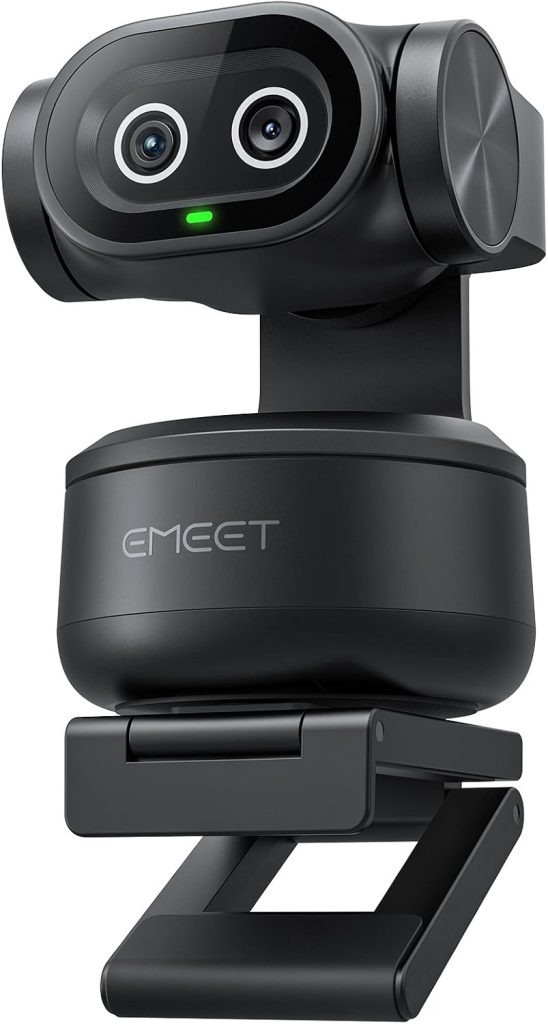
The EMEET PIXY features an unconventional design that differs from the familiar rectangular shape of traditional webcams. It comes with a small body resembling a miniature robot, with two camera modules giving it a distinctive appearance similar to the WALL-E movie character. This design is not limited to aesthetics; it is directly related to the camera’s functions, as imaging, sensing, and tracking tasks are distributed between the two lens modules.
The camera weighs approximately 120 grams and measures 56 × 43 × 22 mm without the mount, making it lightweight and compact enough to sit on top of laptop and desktop monitors without taking up much space or placing noticeable pressure on the screen.
The front features two camera modules housed within a movable structure, along with an LED light ring that adds an aesthetic touch and provides a visual indicator of the operating status. The movement mechanism allows the shooting direction to be changed horizontally and vertically, giving it greater flexibility than traditional webcams with fixed viewing angles.
The camera comes with a detachable Z-shaped mount, a design that provides multiple mounting options, whether on top of a computer monitor, on a desktop, or using a tripod. The mounting position can also be adjusted to accommodate different recording setups, including inverted mounting.
In terms of build quality, EMEET has used a plastic body with a matte black finish, which helps reduce weight, although some reviews consider its perceived durability and premium feel slightly inferior to those of some more expensive competitors. On the underside, there is a standard 1/4-inch mounting socket that allows the use of camera mounts and tripods, expanding its range of uses beyond the traditional desktop environment.
Dual-Camera System and Artificial Intelligence Technologies
The main feature that distinguishes the PIXY from most traditional webcams is its dual-camera imaging system, consisting of a primary camera dedicated to capturing images in 4K resolution and a secondary camera that supports its artificial intelligence functions. This design differs from solutions that rely on a single sensor to perform imaging, tracking, and image processing simultaneously.
The primary camera handles video capture, while the secondary camera assists with facial and person recognition, motion analysis, and target positioning, supporting autofocus and intelligent tracking functions. This separation between imaging and processing tasks helps improve the camera’s responsiveness when the user moves from a seated to a standing position, or when they hold a product in front of the lens to explain it.
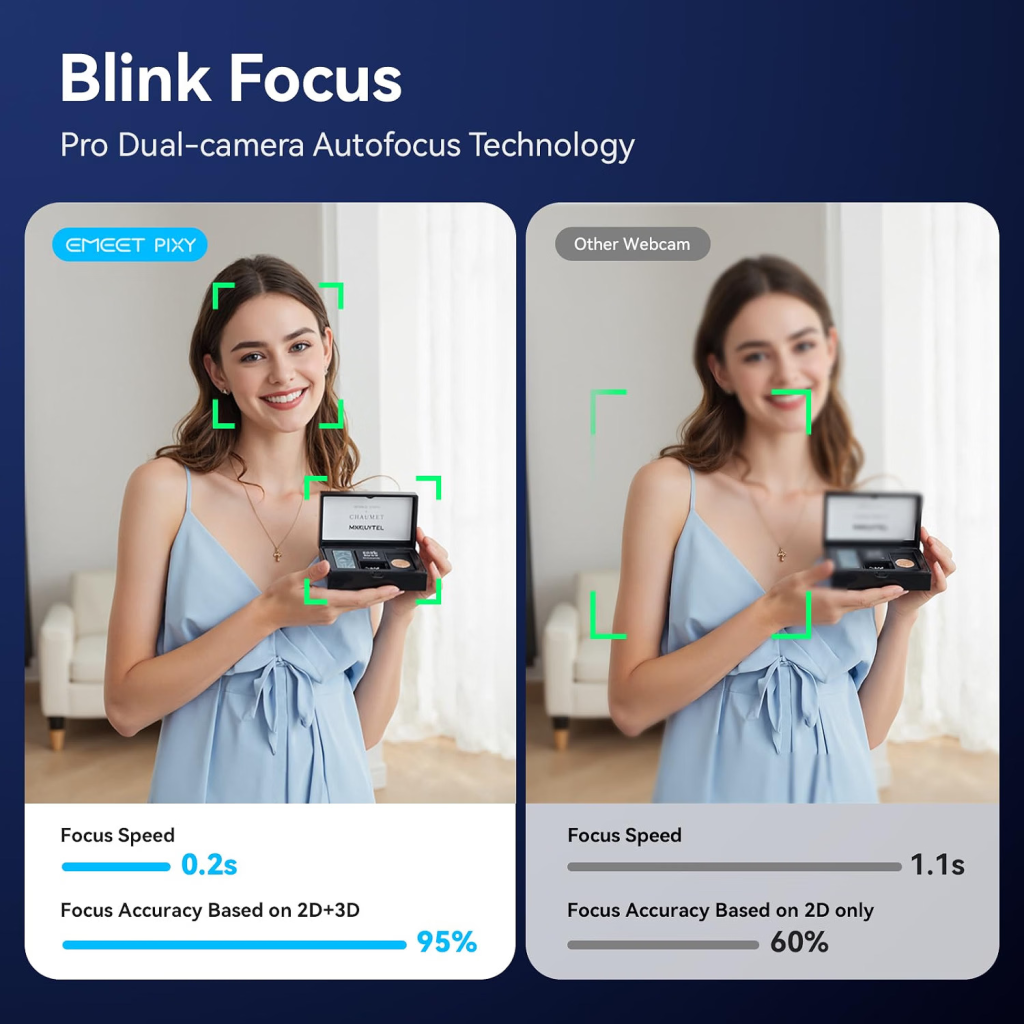
The primary camera uses a Sony 1/2.55-inch sensor with a relatively wide f/1.8 aperture. These specifications help capture light and improve detail in indoor lighting conditions. It also employs BlinkFocus Pro Dual Camera Autofocus technology, which uses the dual-camera system to accelerate focus transitions between subjects. According to the advertised specifications, focusing time is 0.2 seconds.
This technology offers a clear benefit for content creators who need to showcase products in front of the camera. When an object is brought closer to the lens, the PIXY can quickly shift focus to it and then return to the user’s face when the object is moved away, rather than relying on fixed focus or waiting for long periods for the image to stabilize.
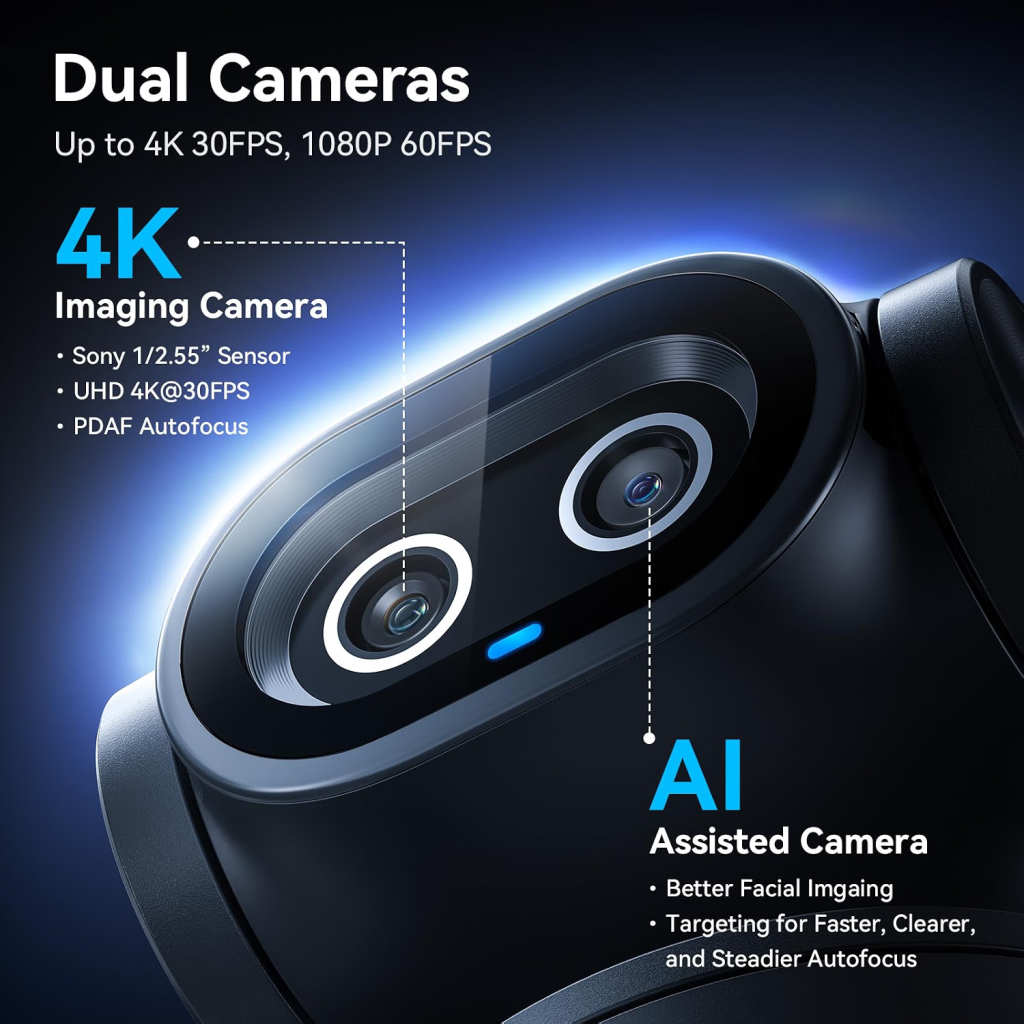
Image Quality and Performance
The PIXY relies on a Sony sensor with an imaging resolution of up to 3840 × 2160 pixels, allowing it to record and stream video in 4K UHD at 30 frames per second. The camera also offers a range of resolution and frame-rate options to suit different uses, starting from 720p and 1080p up to 1440p and 4K.
The field of view is 73 degrees, an angle suitable for offices and personal workspaces, as it allows the user and an appropriate portion of the surrounding environment to appear without being excessively wide, which could make the person look distant within the frame. However, it is not wide enough to capture large groups in a conference room, especially when the camera is placed close to the participants.
In terms of colors and details, published tests have shown that the camera can deliver a sharp image rich in detail when using 4K resolution and adequate lighting. AI processing also helps improve facial appearance, exposure balance, and natural skin tones, which are important for professional meetings and videos in which the user appears directly in front of the viewer.
Under mixed lighting conditions, the camera has delivered good results in several tests, including situations where there is a light source behind the user. However, its performance is not perfect under all conditions. Some reviews have noted a tendency towards overexposure in certain scenes, as well as visible image noise when lighting levels decrease or change rapidly.
This is partly related to the sensor size, which remains smaller than the sensors used in some competitors, such as the Insta360 Link 2 and OBSBOT Tiny 2. Therefore, although the f/1.8 aperture helps improve light capture, the camera benefits considerably from good front-facing lighting, especially when used for professional content production.
EMEET Studio provides the ability to adjust ISO, brightness, contrast, white balance, and exposure, which is important for addressing some of the issues that may appear with automatic settings. This allows users to adjust the image according to the lighting conditions in their room instead of relying entirely on automatic processing.
Mechanical Movement System and PTZ Intelligent Tracking Technology
One of the most important strengths of the EMEET PIXY is its mechanical PTZ movement system, an abbreviation for Pan, Tilt, and Zoom, referring to the ability to move the camera horizontally and vertically while controlling the zoom level.
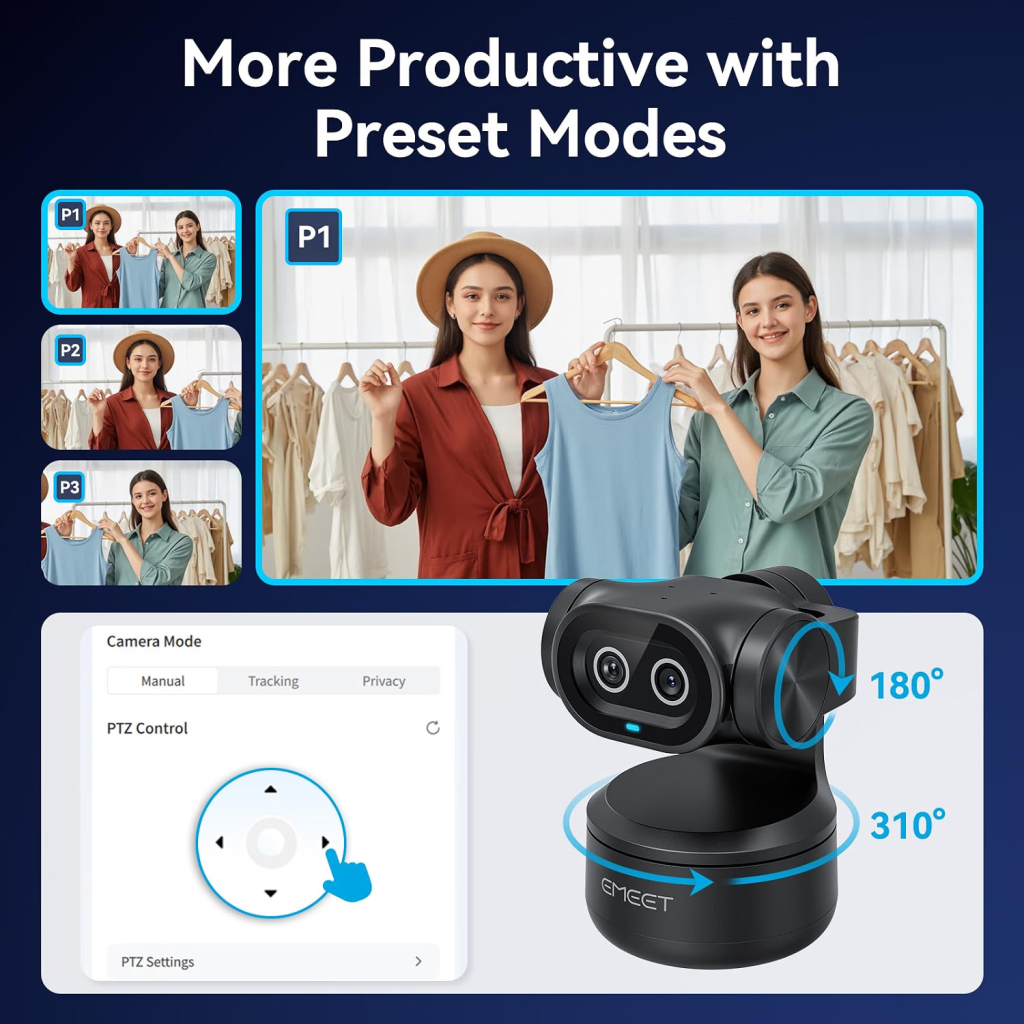
Unlike some webcams that rely on digital image cropping to follow the user, the PIXY uses a motorized dual-axis base that physically changes the direction of the lens. This mechanism provides a horizontal movement range of up to 310 degrees and a vertical movement range of 180 degrees, giving it a considerable ability to follow the user even when they move away from their position in front of the computer.
The camera can move left and right, then tilt the lens up and down to keep the user within the frame. According to published tests, its movement is quiet and smooth, without the need to move the camera manually or constantly readjust its position.
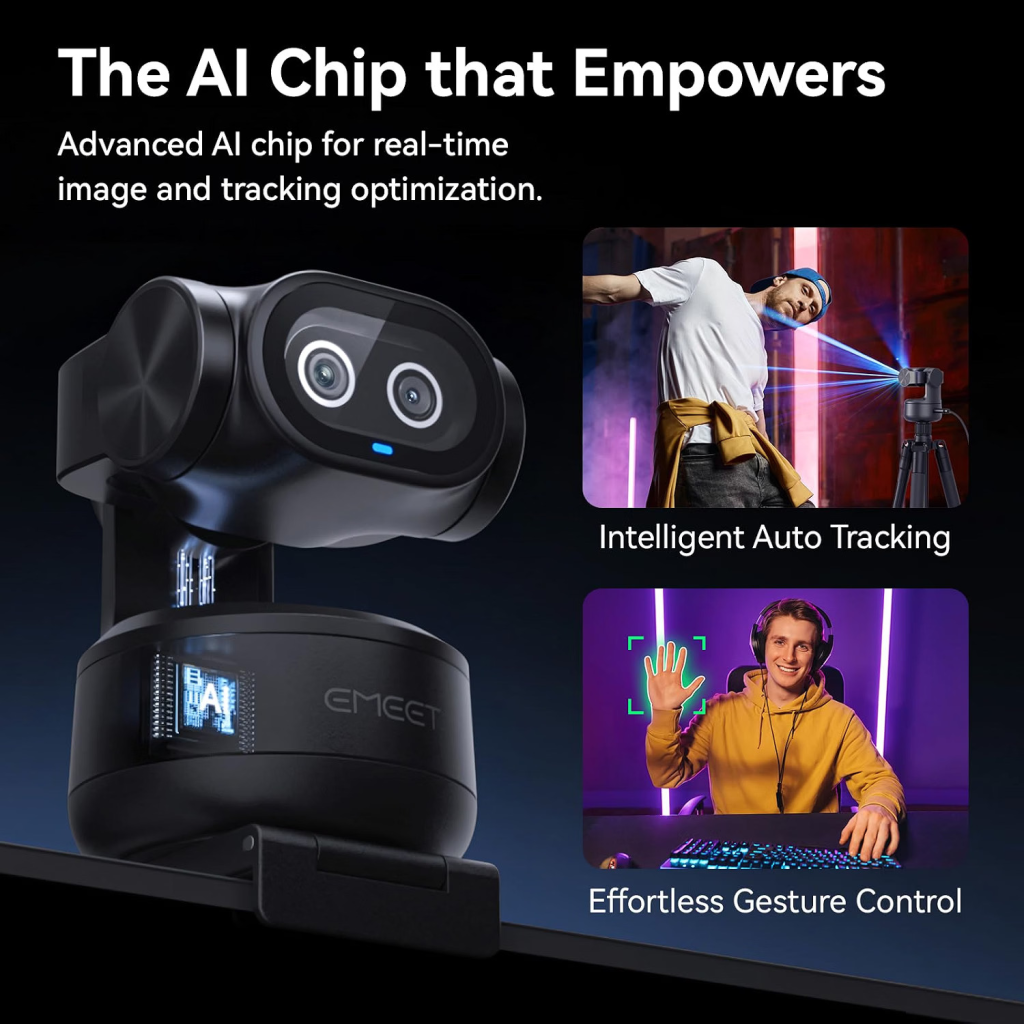
The PIXY supports AI Auto Tracking technology, which uses the secondary camera to recognize the user and follow their movements in real time. Fstoppers’ review states that the tracking range reaches 6 meters, making it suitable for spaces where content presenters need to move away from their desks while explaining something or delivering presentations.
The importance of this function becomes apparent in several uses, such as educational lectures, product demonstrations, presentations, and recording videos that require standing and moving in front of the camera. Instead of remaining in one position, the camera can change its direction to continuously maintain the image composition.
Movement can also be controlled through the EMEET Studio software, or hand gestures can be used to activate and deactivate tracking. This method is practical when the user is busy explaining something or holding a product and cannot reach the keyboard or mouse.
It is worth noting that the zoom system here is digital rather than optical, and the camera offers digital zoom of up to 1.5x. However, there are important limitations, as this zoom is unavailable when recording in 4K or when using 1080p at 60 frames per second, which should be considered when selecting recording settings.
Gesture Control and Smart Features
EMEET has not limited itself to adding an automatic tracking system; it has also provided the ability to control some camera functions through hand gestures, with the aim of making operation easier during meetings and recording sessions.
The main function involves raising an open palm in front of the camera to activate or deactivate intelligent tracking, without needing to use the control software every time. When the gesture is recognized, the LED indicator changes its lighting to show the tracking status, providing visual confirmation to the user.
The usefulness of this feature becomes apparent when delivering explanations or recording educational videos, as the user can move freely and stand in front of the camera without interrupting the recording. However, gesture control remains limited compared with what some might expect; it does not offer a wide range of commands for starting recordings, taking pictures, or switching between all camera modes using hand movements.
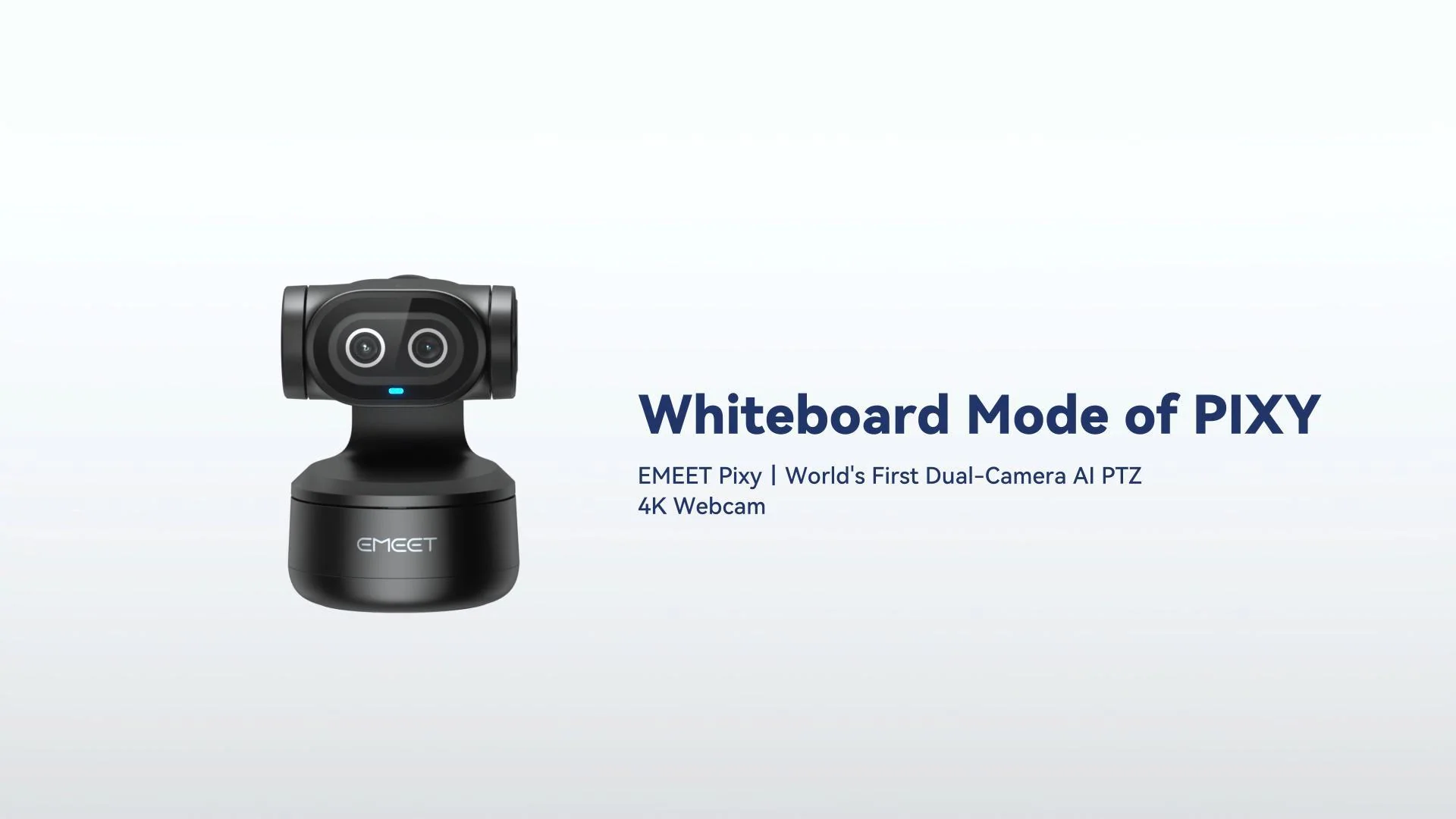
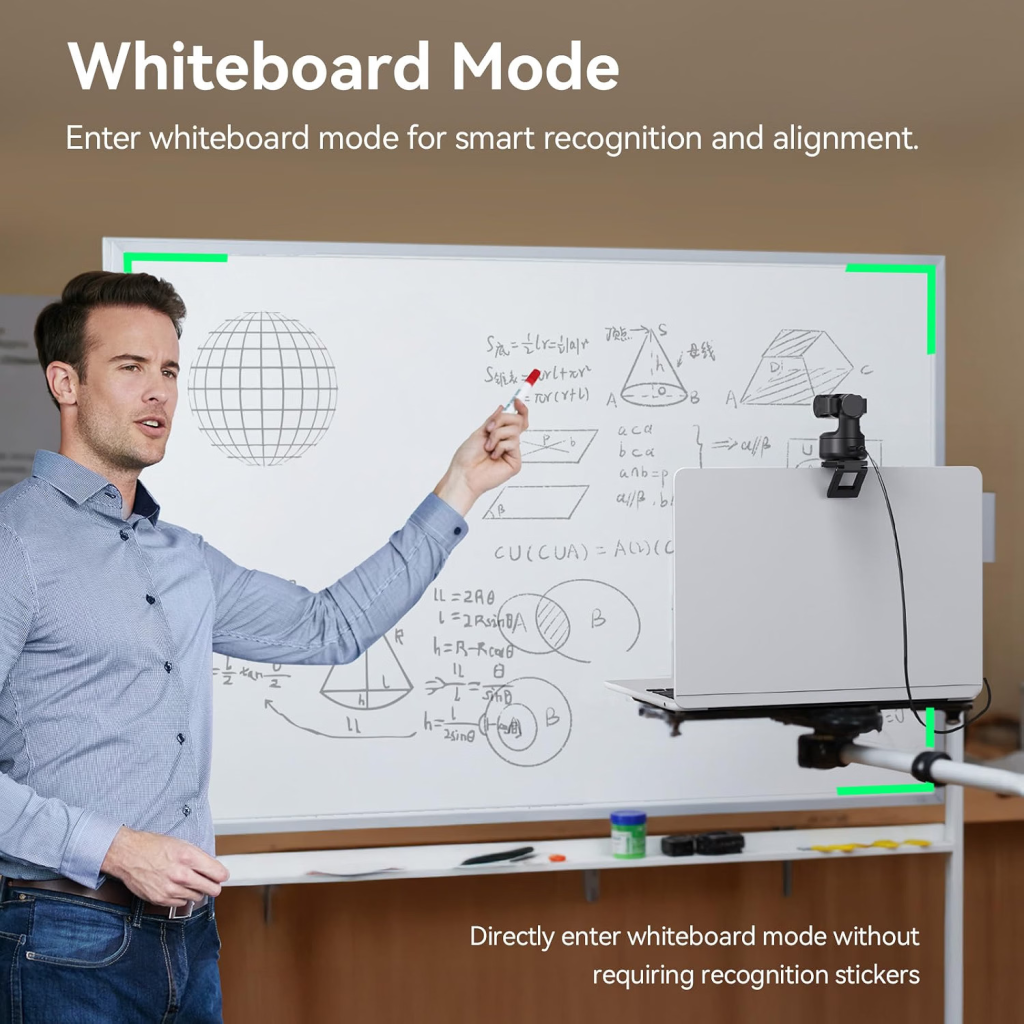
The camera also supports Whiteboard Mode, designed for capturing whiteboards and drawings, alongside Table Mode, which helps direct the camera towards the desktop when showcasing products, tools, or performing practical demonstrations.
The smart functions also allow users to save preset camera positions, making it easier to switch between the desk angle, whiteboard, or presentation area without having to manually readjust the camera’s direction every time.
Microphones and Audio Quality
EMEET has not focused solely on image quality; it has equipped the PIXY with three built-in microphones that use Beamforming technology, which helps capture the user’s voice more precisely, while employing artificial intelligence algorithms to reduce surrounding noise.
The camera offers three different audio modes that can be selected according to the intended use:
Live Mode: A mode designed for live streaming and general use, with balanced audio processing and reduced surrounding noise.
Noise-Canceling Mode: A mode focused on reducing unwanted background sounds, making it suitable for meetings in environments containing fans or office noise.
Original Sound Mode: Preserves the original sound without applying intensive noise-removal processing, making it suitable when users want to capture audio as naturally as possible.
Published tests have shown that the microphones can deliver clear audio suitable for meetings and video calls, with a good ability to reduce certain surrounding noises, particularly in Noise-Canceling Mode.
In Fstoppers’ test in an office containing fan noise, Noise-Canceling Mode successfully isolated the speaker’s voice. Gadget Flow’s review also indicated that the three microphones delivered natural and clear audio during recording.
However, the microphone quality does not reach the level of professional microphones dedicated to audio recording, and strong noise processing may sometimes affect the natural character of the sound. Therefore, they are very suitable for meetings, lectures, and less demanding streaming, while using a separate microphone remains a better option for content creators who need higher audio quality in their final productions.
EMEET Studio Software
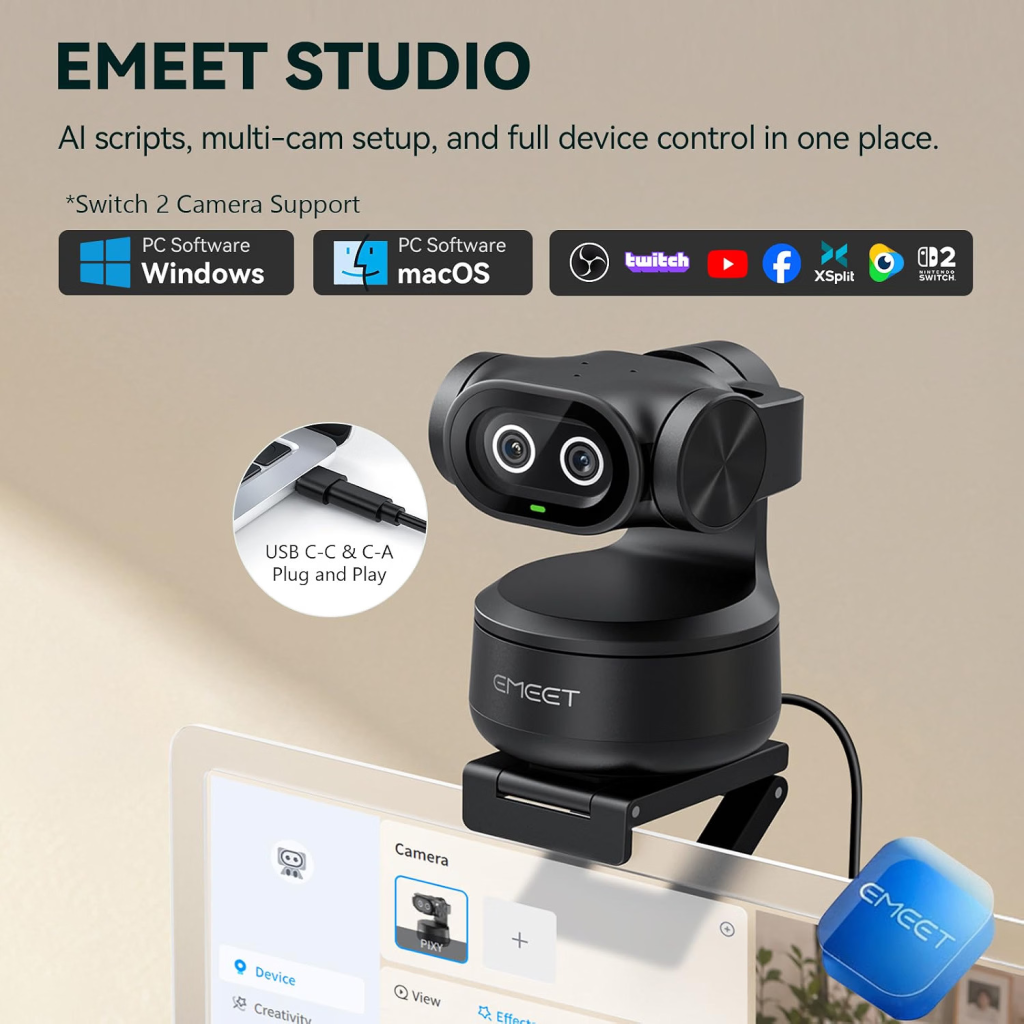
EMEET Studio is the main control center for the PIXY’s functions, as it provides access to imaging, audio, movement, and intelligent tracking settings, rather than limiting users to the basic settings offered by traditional meeting applications.
The software supports Windows and macOS, allowing users to control video resolution and frame rate, adjust brightness, contrast, ISO, white balance, and exposure, in addition to a range of effects and filters that can be used to change the visual appearance of the image.
The software interface is divided into several main functions, including camera and movement controls, visual effects settings, autofocus adjustments, and gesture controls. It also allows users to select the appropriate operating mode, whether standard use, tracking, or privacy mode.
One important function is the ability to record videos directly through the software, providing an easy way to test camera settings and create content clips without having to rely on an external application in every situation.
Artificial Intelligence Integration and Script Creation
EMEET Studio also offers additional functions aimed at content creators, including assistance with preparing video scripts using artificial intelligence tools such as ChatGPT, Gemini, Claude, and Grok, depending on the options available in the software version.
Users can select a template suitable for their content type, such as live videos, vlogs, or gaming commentary, then enter the topic idea and specify certain requirements to obtain a script draft, scene suggestions, and shot arrangements.
This addition is useful for speeding up the planning and preparation stages, especially for those who produce videos regularly. However, it remains an assisting tool rather than a replacement for human writing and editing, as some tests have shown that the results may require review and rewriting to become smoother and more suitable for the nature of the content.
Connectivity, Compatibility, and Ease of Use
The PIXY relies on a USB-C port to connect to a computer and comes with a USB-C cable and a USB-C to USB-A adapter, allowing it to connect to different devices without the need to purchase an additional adapter in most cases.
The camera supports Plug and Play operation, meaning it can be used as soon as it is connected to a computer, while installing EMEET Studio provides access to more advanced settings.
Supported operating systems include Windows 10/11 and macOS 10.14 or later. Basic Tutorials’ review and HardZone’s review also indicate compatibility with the Nintendo Switch 2, expanding its range of use beyond traditional computers.
The camera works with meeting, streaming, and recording applications such as Zoom, Microsoft Teams, OBS, and YouTube, depending on application compatibility and system settings. It can also be used to record videos through applications that support USB cameras.
In terms of installation, the included mount provides a quick solution for attaching it above a monitor, while the 1/4-inch socket allows it to be used with tripods designed for photography.
One practical addition in the software is Privacy Mode, which directs the camera away from the user towards its base, so that it does not continue recording them during breaks. Some settings also provide the option to automatically enter sleep mode after specified periods.
Despite the importance of this function, it is not a substitute for a physical privacy switch that completely disconnects the camera, a point some reviewers have highlighted as an area that could be improved in the future.
Overall, the software offers a wide range of functions compared with what traditional webcams provide. However, the user experience is not entirely perfect; some reviews have noted issues with the software interface, certain functions, and how they operate. Additionally, some AI features do not deliver equally consistent results in all uses.

Practical User Experience
Looking at the various published tests, the practical use of the EMEET PIXY can be divided into several scenarios, most notably professional meetings, content creation, education, and product demonstrations.
In video meetings, the camera provides a noticeable improvement compared with traditional laptop webcams, both in terms of image resolution and its ability to keep the user within the frame when changing their sitting position. The three-microphone system also helps provide suitable audio for communication without the need to purchase a separate microphone for regular desktop use.
For content creators, the mechanical tracking feature provides greater freedom during recording, especially when presenting product reviews or recording explanatory videos that require showing the details of objects in front of the lens. Fast autofocus helps transition between the user’s face and the displayed product, making the camera more suitable for this type of content.
In education, the benefits of user tracking and Whiteboard Mode become apparent, as lecturers can move in front of students while the camera continues following them. They can also switch between saved camera angles to explain drawings or written content.
However, there are some limitations that should be considered. Intelligent tracking depends considerably on adequate lighting and may become slower or less accurate in certain environments. Image quality in low-light conditions is also not on the same level as cameras with larger sensors, and it cannot be considered a direct replacement for professional cameras when producing videos that require a wide dynamic range.